
Sweet Home: Games for kids
SUBARAEducational
4.62.76K Reviews
- Version
- 1.5.6
- Installs
- 10.00M
- Age Rating
- Everyone
Screenshots
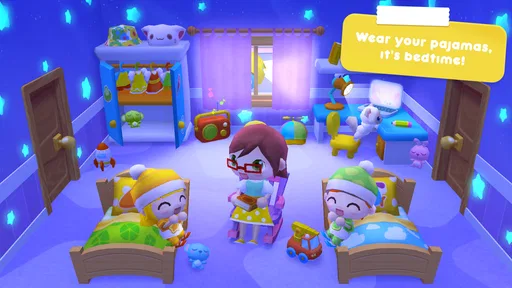
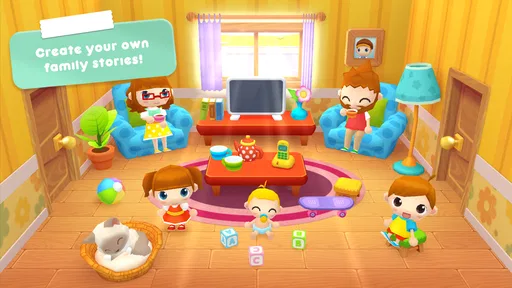
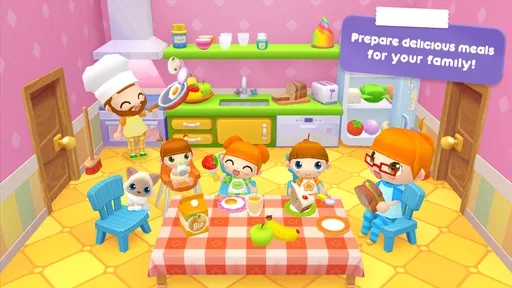
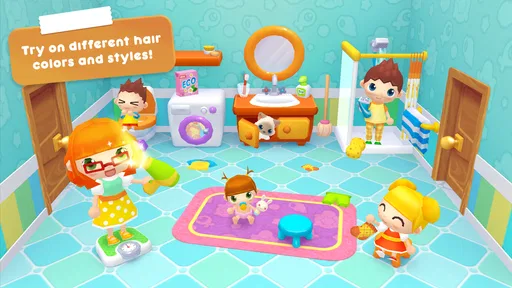
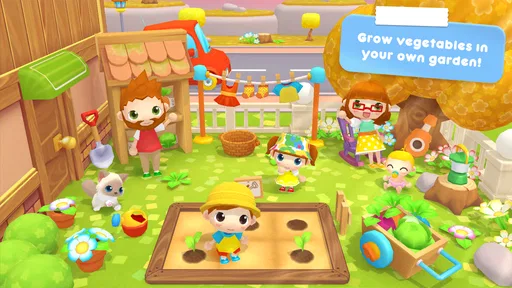
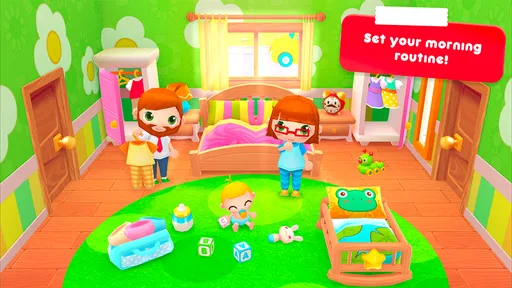
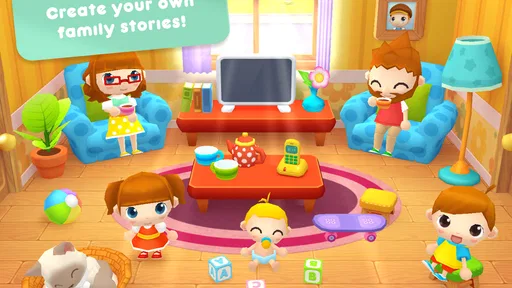
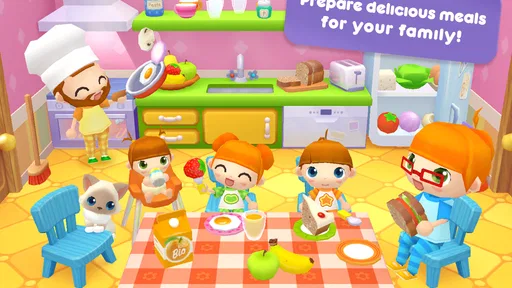
Our Review of Sweet Home: Games for kids
 Analysis by Appyee
When I tried Sweet Home: Games for kids, I understood its appeal almost immediately: it turns ordinary home life into a gentle pretend-play space. Instead of asking children to master difficult rules, it lets them explore familiar routines such as looking after toddlers, preparing food, and moving through a family home. That makes it especially easy to introduce on a shared tablet or phone, where a child can pick it up for a short play session without needing a long explanation.
I see it as an educational game in the broad, practical sense. It does not feel like a worksheet disguised as entertainment. Its learning value comes from imitation, sequencing, imagination, and role-play. A child can act out what happens in a household, make choices about care and cooking, and create small stories from the available situations. The free price makes it simple to try, while optional purchases ranging from $1.99 to $2.99 per item mean that adults should still decide in advance how the device is shared.
How Sweet Home Works in an Everyday Household
I find Sweet Home works best when it fits into a familiar household routine rather than being treated as an all-purpose way to occupy a child. A parent can invite a child to play while nearby, then use the home scenes as a gentle prompt for conversation or make-believe. I’d also keep the next part of the review in mind: the way the game’s domestic setting shapes what children notice and invent.
A natural fit for short shared-device sessions
The strongest use case is a child who wants to play independently for a little while but is not ready for a complicated game. I can imagine a parent finishing dinner while a child sits nearby with a family tablet, moving between home activities and inventing a story about the people and rooms on screen. The game gives the child something recognizable to do, yet it leaves enough room for personal interpretation that the session does not have to follow one fixed path.
That matters on a shared device. A game built around home routines is easy for an adult to understand at a glance, so a parent, older sibling, or grandparent can join without learning a control-heavy system first. It also creates natural conversation: “What are you cooking?” or “Who needs looking after?” Those questions turn passive screen time into a small social activity without requiring the adult to direct every move.
I would not treat it as a multiplayer game, because its value is not in simultaneous competition or coordinated online play. Its household strength is different. One child can play while another watches, or an adult can take turns exploring the home with them. If several children use the same device, agreeing on turns before opening the game is more useful than expecting the app itself to organize sharing.
What to decide before handing over the device
My first practical recommendation is to establish the device rules outside the game. Decide whether the child may use the app alone, whether purchases require an adult, and whether the device is also used for schoolwork, messages, or personal accounts. Those boundaries are particularly important because the game is free to download but includes optional paid items. A child may understand pretend shopping or decorating without understanding that a tap can have a real-world cost.
I would also open the game once before a younger child uses it. This is not because the concept is difficult, but because a quick adult preview helps you see how the child is expected to move around the home and whether the available activities suit their current attention span. On a shared phone, checking the starting screen first can prevent a child from wandering into another app when they finish playing.
There is a useful distinction between access to the game and access to the device. Sweet Home can be appropriate for a young child, but that does not automatically make an unlocked phone appropriate for unsupervised use. I prefer a simple routine: the adult opens the game, confirms the child is in the intended app, and takes the device back when the agreed session ends. That keeps the game’s family-friendly theme from being confused with broad device independence.
Coordinating play without turning it into homework
The game works best when adults use it as an invitation rather than a lesson plan. I would avoid interrupting every action to ask whether it is “correct.” Pretend play loses some of its charm when a child feels tested. Instead, I would let the child lead and occasionally ask them to explain the story they are making. This reveals more about how they are thinking than a series of right-or-wrong questions.
For a child who likes repetition, repeating the same household situation can be valuable. The first time may be about discovering what can be touched or moved. Later sessions can become storytelling: preparing a meal for a particular character, caring for a toddler, or deciding what everyone is doing at home. That gradual shift from discovery to narration is one of the more useful strengths I noticed, because it gives the game a reason to return beyond simply seeing the same rooms.
With siblings, I would assign turns by activity rather than by a vague promise to “share.” One child can choose the cooking part, another can guide the care routine, and then they swap. This works because the game’s home setting naturally divides conversation into small roles. It is not a built-in coordination system, but it is a practical way to reduce arguments on a single screen.
Age context and the role of trust
The age rating is Everyone, and the intended audience is young children from three to seven. In my view, that range should still be treated as a starting point rather than a guarantee that every child will enjoy the same level of independence. A three-year-old may need an adult to explain what can be interacted with, while an older child may quickly understand the home and focus more on creating stories.
For the youngest players, I would play alongside them at least once. Shared exploration helps with basic navigation and gives the child confidence without making the experience feel like instruction. Older children may be able to manage a short session more independently, but I would still keep the purchase boundary clear. Trust here means knowing the child’s habits, not assuming that an Everyone rating answers every household question.
The family theme is also a good reason to talk about real-life differences. The child may reproduce familiar routines, invent unusual ones, or ask why a game character does something differently from people at home. I would welcome that conversation rather than insisting that the digital home represent one correct family structure. The game is most useful as a canvas for imagination, not as a model that every household must copy.
What the game teaches through play
Sweet Home’s educational value is subtle. Caring for toddlers can encourage attention to another character’s needs. Cooking and household stories can help children think in sequences: first choose an activity, then carry it out, then react to what happens. Moving around a home can also support spatial familiarity, especially for children who enjoy remembering where different activities belong.
Those benefits are different from what a traditional learning app offers. There are no obvious spelling drills, arithmetic exercises, or progress targets to work toward in the experience I reviewed. If your priority is measurable practice in reading or mathematics, a dedicated educational app will be a better choice. This game is better for imaginative language, pretend responsibility, and conversation around everyday life.
One non-obvious advantage is that the familiar setting lowers the explanation cost. A child does not need to learn an invented world before making sense of the play. That can be helpful after a tiring day, when a complex adventure game would feel demanding. The trade-off is that children who want challenge, competition, or a strong sense of advancement may find the open-ended home activities too loose.
Where it differs from common alternatives
Compared with puzzle-focused children’s games, this one gives up formal goals in exchange for free-form role-play. A puzzle app may offer clearer feedback and a stronger feeling of accomplishment after each task. Sweet Home instead rewards the child through the story they create. I prefer it for relaxed shared play, but I would choose the puzzle alternative when a child specifically asks for levels, scores, or a challenge that becomes harder over time.
Compared with video apps, it asks the child to make choices rather than simply watch. That does not make every minute automatically better, but it does give the child more agency. A child can decide what the household story is about instead of following a fixed episode. The limitation is that pretend play requires more willingness to participate; a child looking only for a passive break may not engage for long.
Compared with larger life-simulation games, Sweet Home is easier to approach because its subject is familiar and its intended audience is young. The compromise is depth. It is not the right pick for a child seeking elaborate customization, long-term progression, or a broad virtual world. Its charm comes from small domestic scenes, not from trying to simulate an entire life.
Practical limits I noticed
The open-ended design can sometimes make the experience feel less directed. A child who needs clear instructions may ask what to do next, while a child who enjoys inventing stories may be perfectly happy without a goal. I would keep another activity nearby rather than expecting this game to hold attention for a fixed period every day.
There is also a real difference between “free” and “cost-free.” The initial price is free, but optional items are available. On a family device, the adult responsible for the account should handle any purchase decisions and explain that not every visible option needs to be selected. This is a general household rule, but it matters here because a young child may treat all in-game choices as part of the same pretend world.
Another limitation is that the game’s usefulness depends heavily on the child’s personality. A child who loves dolls, family stories, cooking pretend meals, and caring routines may return to it often. A child who prefers racing, building, music, or explicit educational exercises may lose interest quickly. I would not choose it simply because the age rating looks suitable; I would choose it because the style of play matches the child.
Performance, access, and version context
The game comes from SUBARA and is currently listed as version 1.5.6, with support beginning at Android 7.0. That makes the operating-system requirement worth checking before installing it on an older family tablet or hand-me-down phone. For shared households, compatibility is not a minor detail: the device may be suitable for the child in every other way but still fail to run the current release if its software is too old.
Its popularity is substantial, with over ten million installs, a 4.6 average from around one hundred seven thousand ratings, and about two thousand eight hundred written reviews. Those figures suggest that the concept has reached a wide audience, but they do not replace a personal trial. Children’s preferences are unusually individual, and a popular pretend-play game can still be the wrong match for a child who wants faster action or more structured learning.
The Everyone rating makes it a reasonable candidate for a family library, but I would still separate content suitability from account suitability. Before installing it on a device used by several people, check which account is active and who controls purchases. If the phone belongs to an adult, keep the child’s access limited to the intended session. If the tablet is shared among siblings, agree on turns and avoid changing household settings just to accommodate one player.
Who should try it, and who should skip it
I would recommend Sweet Home to families looking for a calm, approachable game that a young child can understand through familiar actions. It is especially appealing for pretend-play fans, children who enjoy caring for characters, and adults who want something they can discuss with a child without needing to compete or coach constantly. It also works well as a short transition activity before dinner, after school, or during a quiet shared-device break.
I would skip it if the main goal is formal academic practice, measurable progress, or difficult problem-solving. I would also look elsewhere for a child who becomes frustrated when a game does not provide a clear objective. An adventure, puzzle, or construction game may be a better fit in those cases. Sweet Home should not be judged as a small version of those genres; it is intentionally centered on domestic imagination.
My household verdict
After spending time with it, I see Sweet Home as a gentle role-play game rather than a conventional lesson app. Its best quality is the way it turns ordinary family activities into material for a child’s own stories. The home setting makes it approachable, the care and cooking themes create natural conversation, and the free entry point lowers the risk of trying it with a child who may or may not connect with the format.
My recommendation comes with clear boundaries: preview it on the shared device, keep purchases under adult control, and decide how turns will work before several children reach for the same screen. Those small steps make a bigger difference here than searching for advanced settings that the game does not need in order to be enjoyable.
My final view is simple: choose it when you want imaginative household play, not when you need a structured curriculum or a challenging progression system. For the right child, it can turn a familiar phone or tablet into a place for caring, cooking, and storytelling. For the wrong child, its relaxed pace may feel empty. That honest distinction is why I would recommend trying it as a shared family activity first, then deciding whether it deserves a regular place on the device.
Verdict
Strengths of Sweet Home: Games for kids
- Simple controls make it easy for young children to play independently.
- Bright visuals and friendly characters create an appealing, playful atmosphere.
- Many activities encourage creativity through decorating, cooking, and role-play.
- Offline access allows play without Wi-Fi or mobile data.
- Short activities suit quick play sessions and younger attention spans.
Limitations of Sweet Home: Games for kids
- Some areas or items may require in-app purchases to unlock.
- Repeated tasks can become predictable after extended play.
- Ads may interrupt gameplay in the free version.
- Limited challenge may not satisfy older children for long.
- Parents should review privacy and purchase settings before handing over the device.
Other Releases by SUBARA
View All
Central Hospital Stories
Educational4.5

Urban City Stories: World Game
Educational4.5

Stories Life: Kids World Game
Educational4.7
Similar Picks in This Category
View All
Little Panda Policeman
BabyBus4.0

Monster Trucks Game for Kids 2
Raz Games4.1

Little Panda's Chinese Recipes
BabyBus4.4

Little Panda's Restaurant
BabyBus4.4

Little Panda's Ice Cream Games
BabyBus4.3

Baby Panda Care
BabyBus3.8
Frequently Asked Questions
What is Sweet Home: Games for Kids?
Sweet Home: Games for Kids is a child-friendly collection of interactive activities designed around everyday home life. Children can explore rooms, interact with household objects, organize spaces, and create simple stories through imaginative play. The experience focuses more on discovery and creativity than on competition, making it suitable for younger players who enjoy open-ended games and pretend-play scenarios.
Is Sweet Home: Games for Kids suitable for my child’s age?
The game is mainly aimed at young children, particularly preschool and early elementary users, although the ideal age can vary depending on the child’s reading ability and independence. Most activities are simple to understand and use visual interaction rather than complicated instructions. Parents should check the age rating, store description, and available parental guidance before downloading, especially for very young children.
Does Sweet Home: Games for Kids require an internet connection?
Many of the basic activities may be playable without a constant internet connection once the application has been installed, which is convenient for travel or offline play. However, an internet connection may still be needed for the initial download, updates, advertisements, cloud features, or optional purchases. Availability can differ between Android and iOS versions, so it is worth checking the store listing before installing.
Does the game contain advertisements or in-app purchases?
Depending on the version and platform, Sweet Home: Games for Kids may include advertisements, locked content, or optional in-app purchases. This is particularly important when the app is used by children, because accidental taps can sometimes lead to purchase screens or external links. Parents should review the app’s purchase settings, enable device-level parental controls, and supervise the first sessions to understand how monetization is handled.
Is Sweet Home: Games for Kids safe and educational?
The game provides a generally gentle environment based on familiar home activities, creative exploration, and role-play. These elements can encourage imagination, object recognition, basic routines, and independent decision-making, although it should not be considered a formal educational tool. Parents should still review privacy permissions, advertising behavior, and any communication or external-link features before allowing unsupervised play.
Play our best games!


